Public Portal Homepage
The homepage of the New Mexico Public Regulation Commission (NMPRC) Public Portal is where you start: from here you can browse dockets and filings, search, submit comments, register, and sign in.
Anyone. You do not need an account to use the dashboard, Advanced Search, Submit New, Contact Us or FAQ.
Homepage Overview
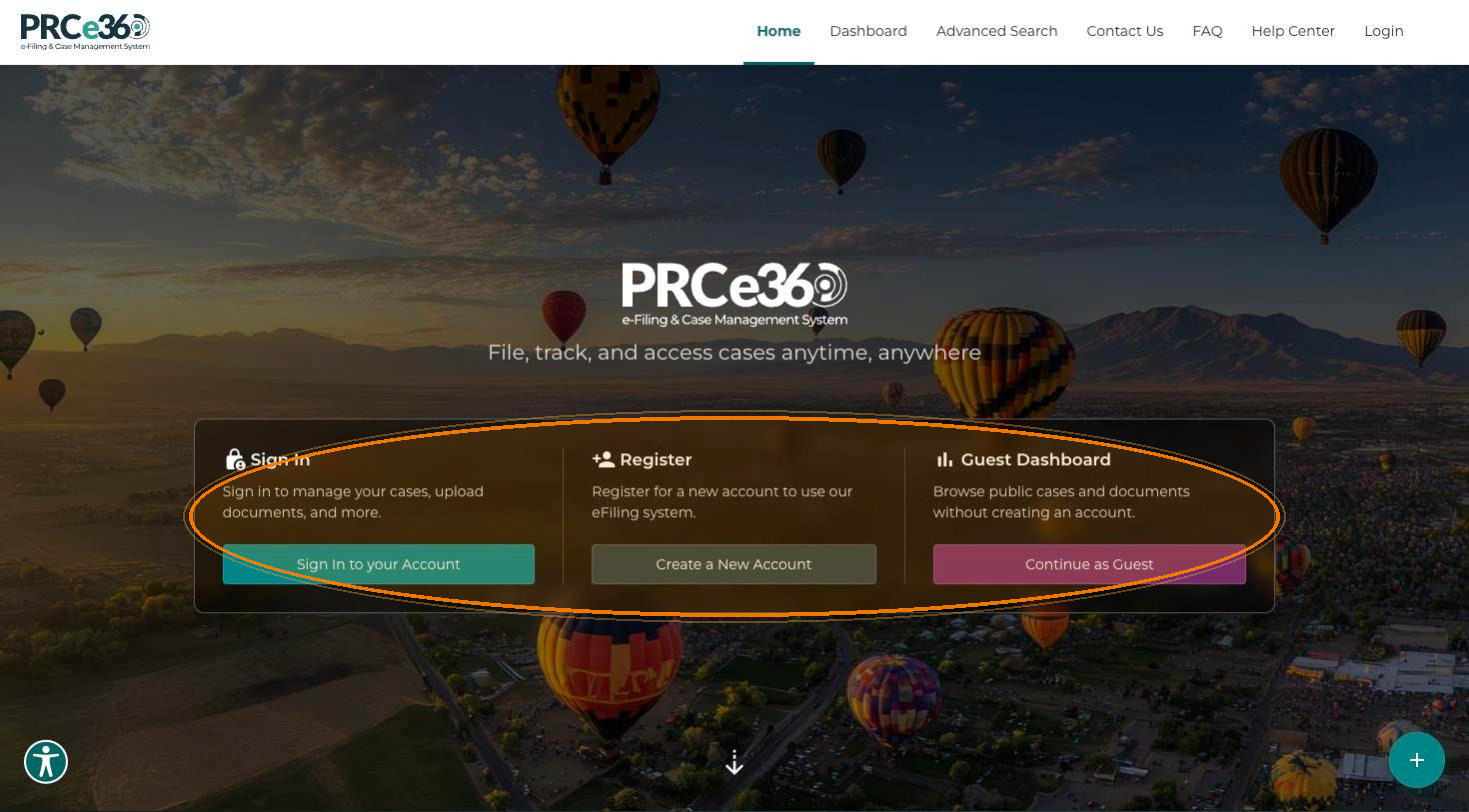
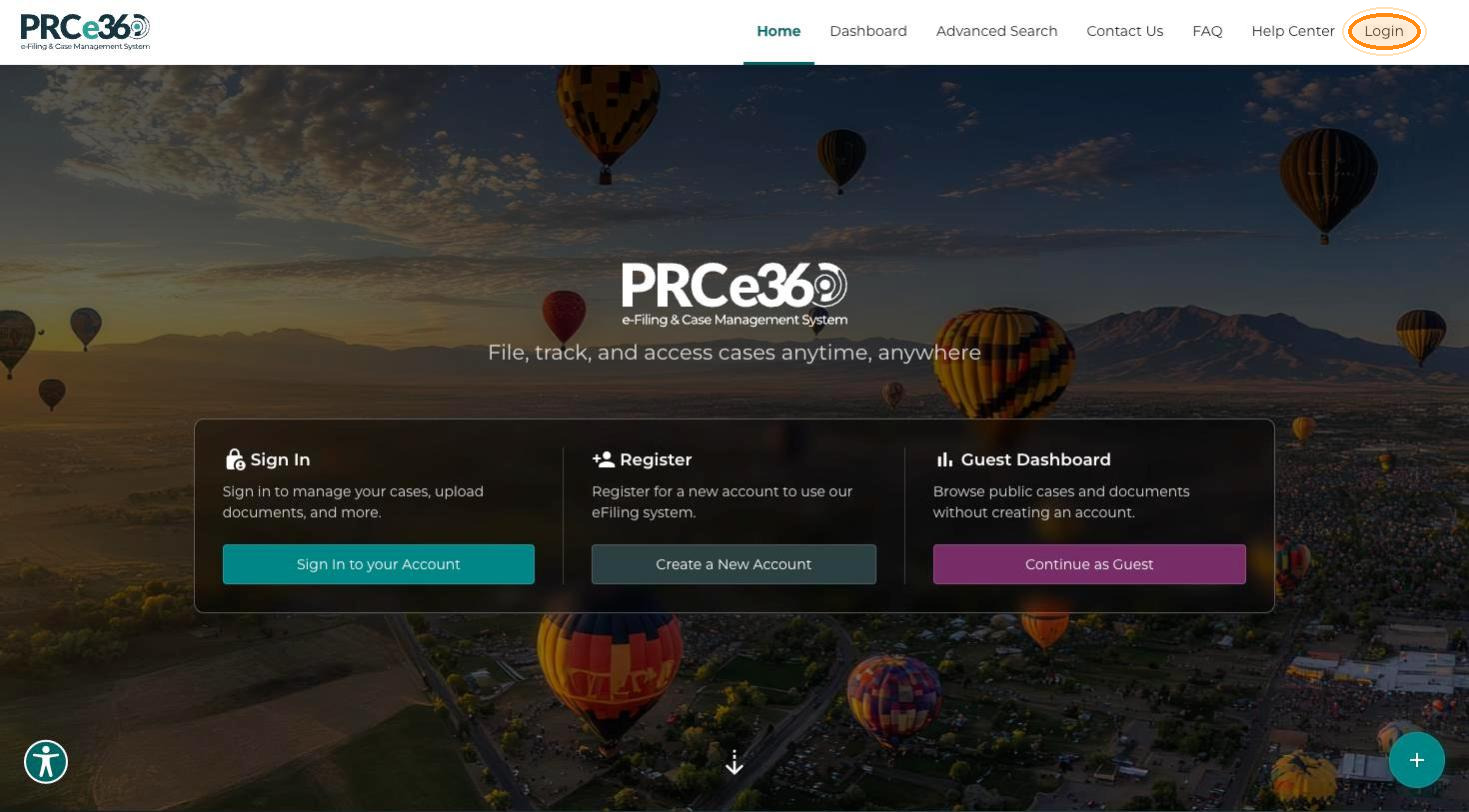
When you open the portal, the homepage offers three choices:
| Card | Button | What it does |
|---|---|---|
| Sign In | Sign In to your Account | Sign in to manage your cases, upload documents, and more. |
| Register | Create a New Account | Register for a new account to use the eFiling system. |
| Guest Dashboard | Continue as Guest | Browse public cases and documents without creating an account. |
The navigation bar at the top shows Home, Dashboard, Advanced Search, Contact Us, FAQ, Help Center and Login. Help Center opens this user guide in a new tab. The Submit New (+) button is at the bottom-right corner.
Dashboard
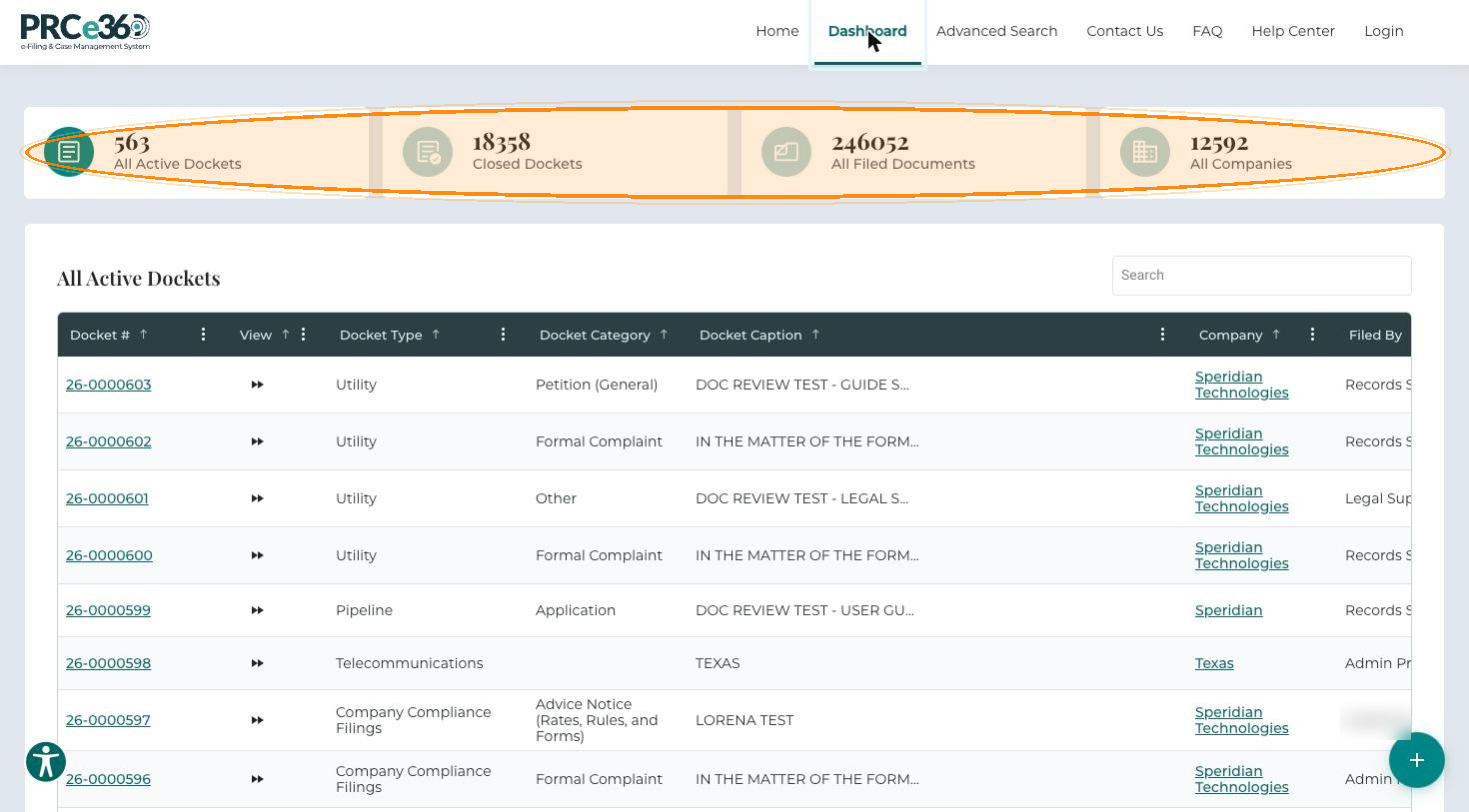
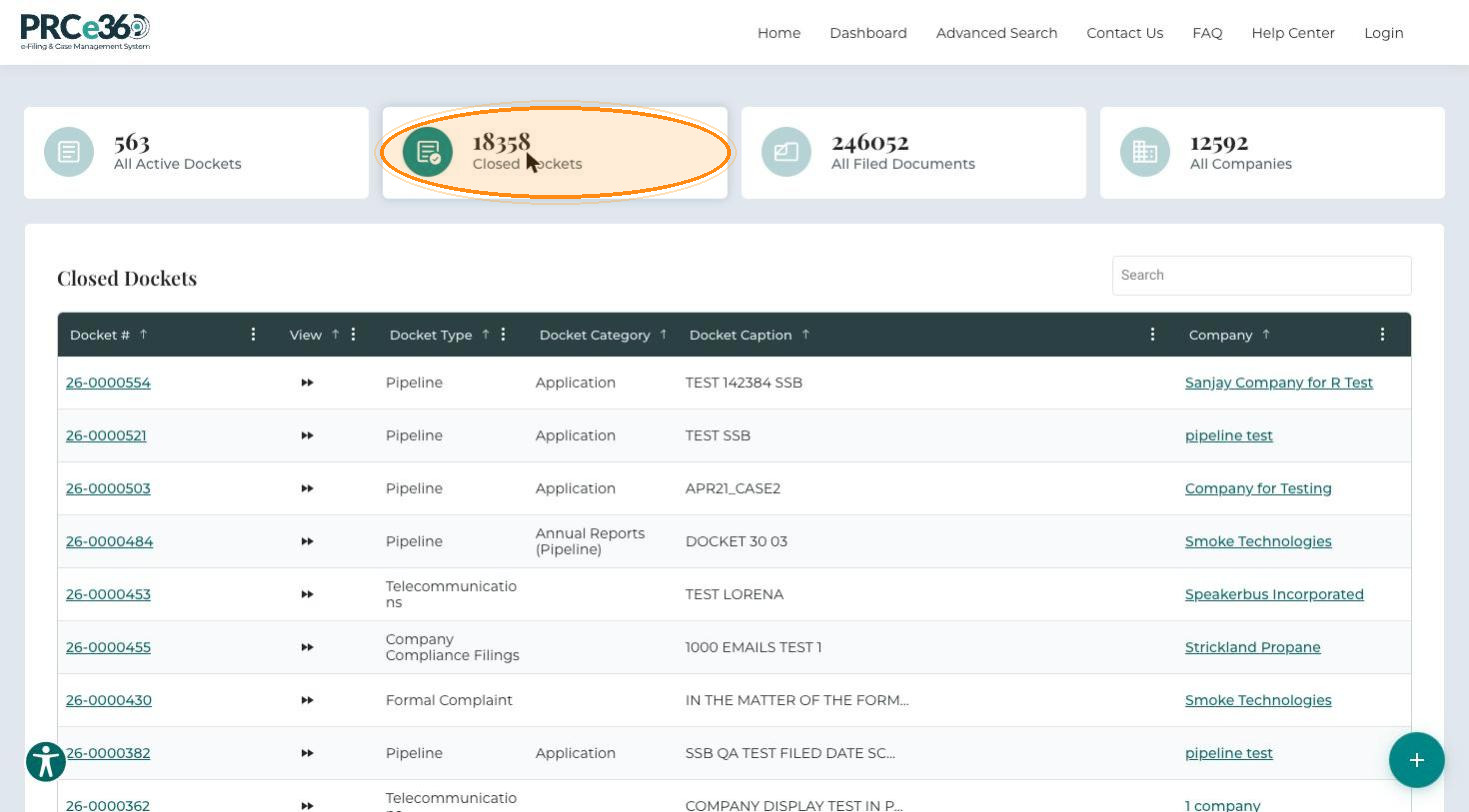
Click Dashboard in the navigation bar, or Continue as Guest on the homepage. The dashboard has four tiles, each showing a count: All Active Dockets, Closed Dockets, All Filed Documents and All Companies. Click a tile to show its list below. Each list has a Search field.
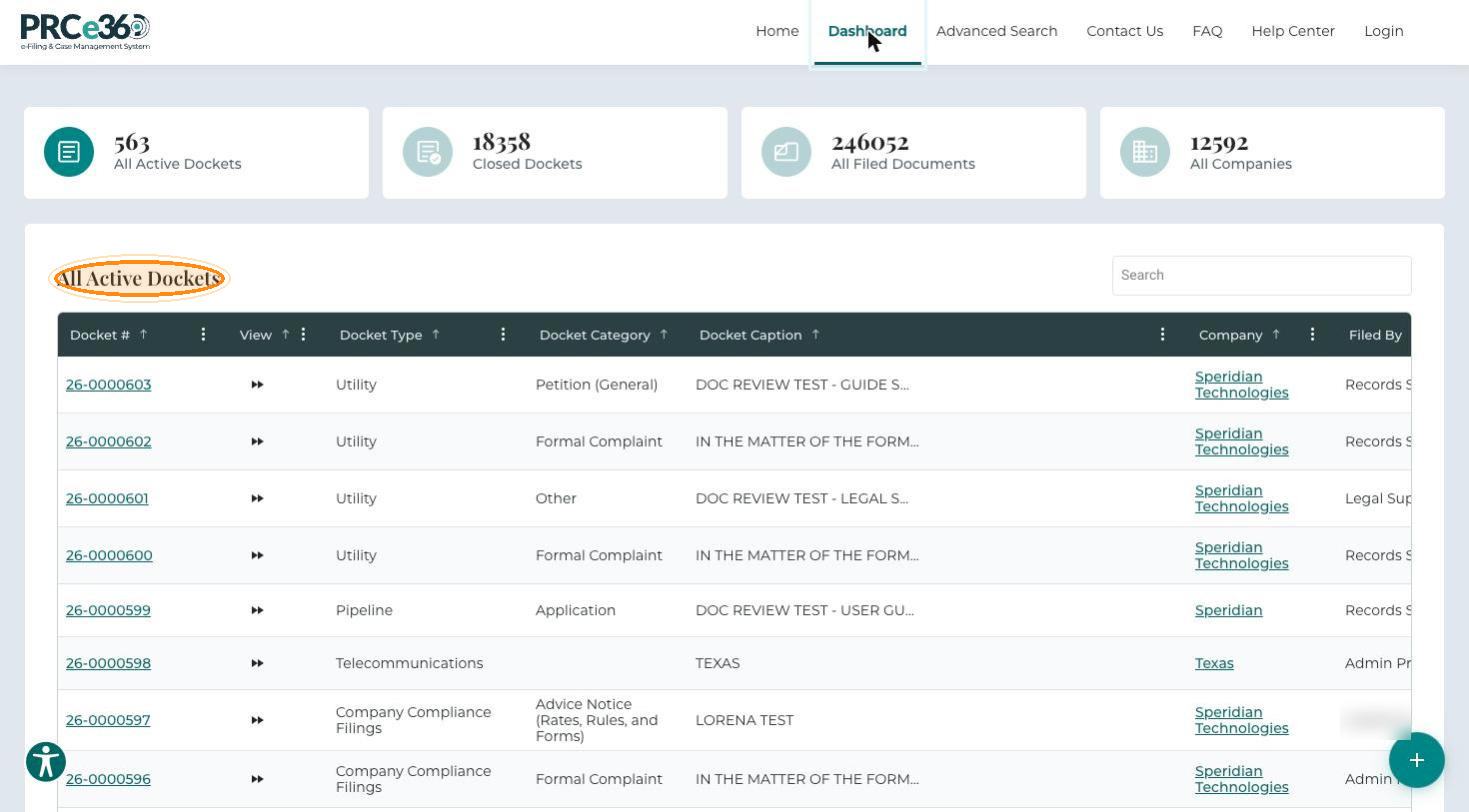
All Active Dockets
Lists all active dockets submitted to the NMPRC, including their dates and timestamps.
- Docket #
- View
- Docket Type
- Docket Category
- Docket Caption
- Company
- Filed By
- Filed Date
- Status
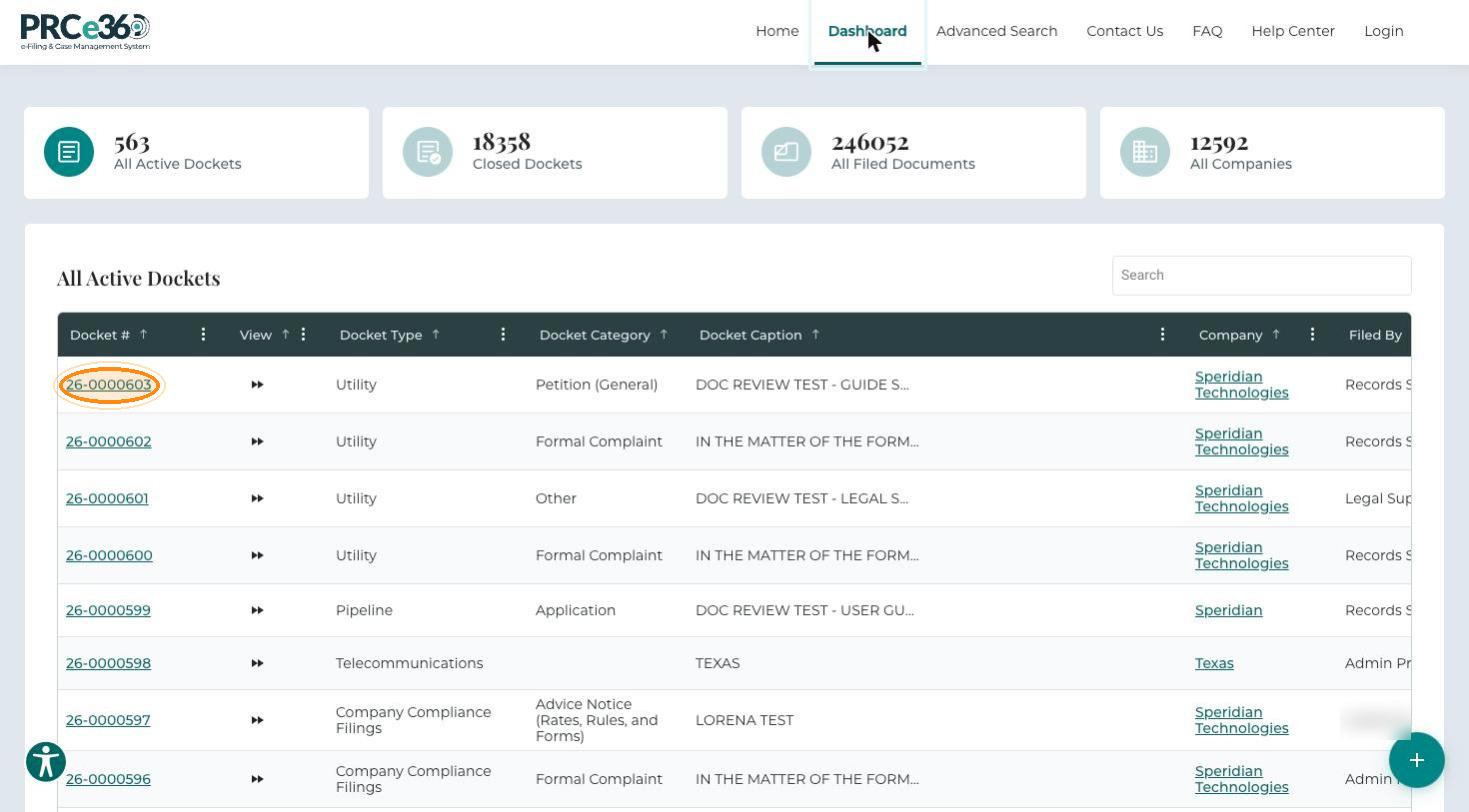
To open a docket in Docket 360:
-
Click the Docket #.
-
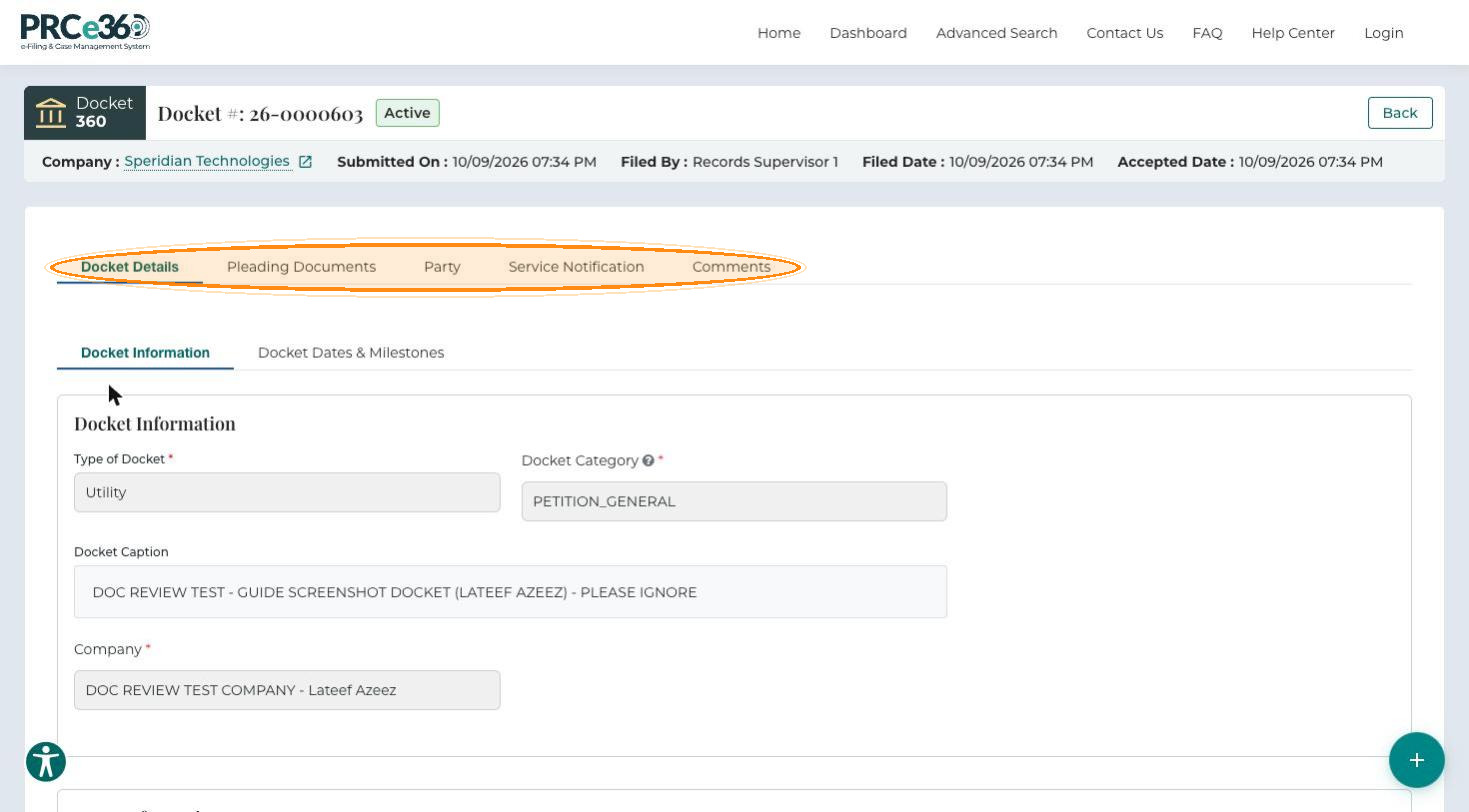
The Docket 360 view opens. The top panel shows the docket number, status, Company, Submitted On, Filed By, Filed Date and Accepted Date. The tabs are Docket Details, Pleading Documents, Party, Service Notification and Comments.
Closed Dockets
Lists all closed dockets, with the same columns as All Active Dockets.
All Filed Documents
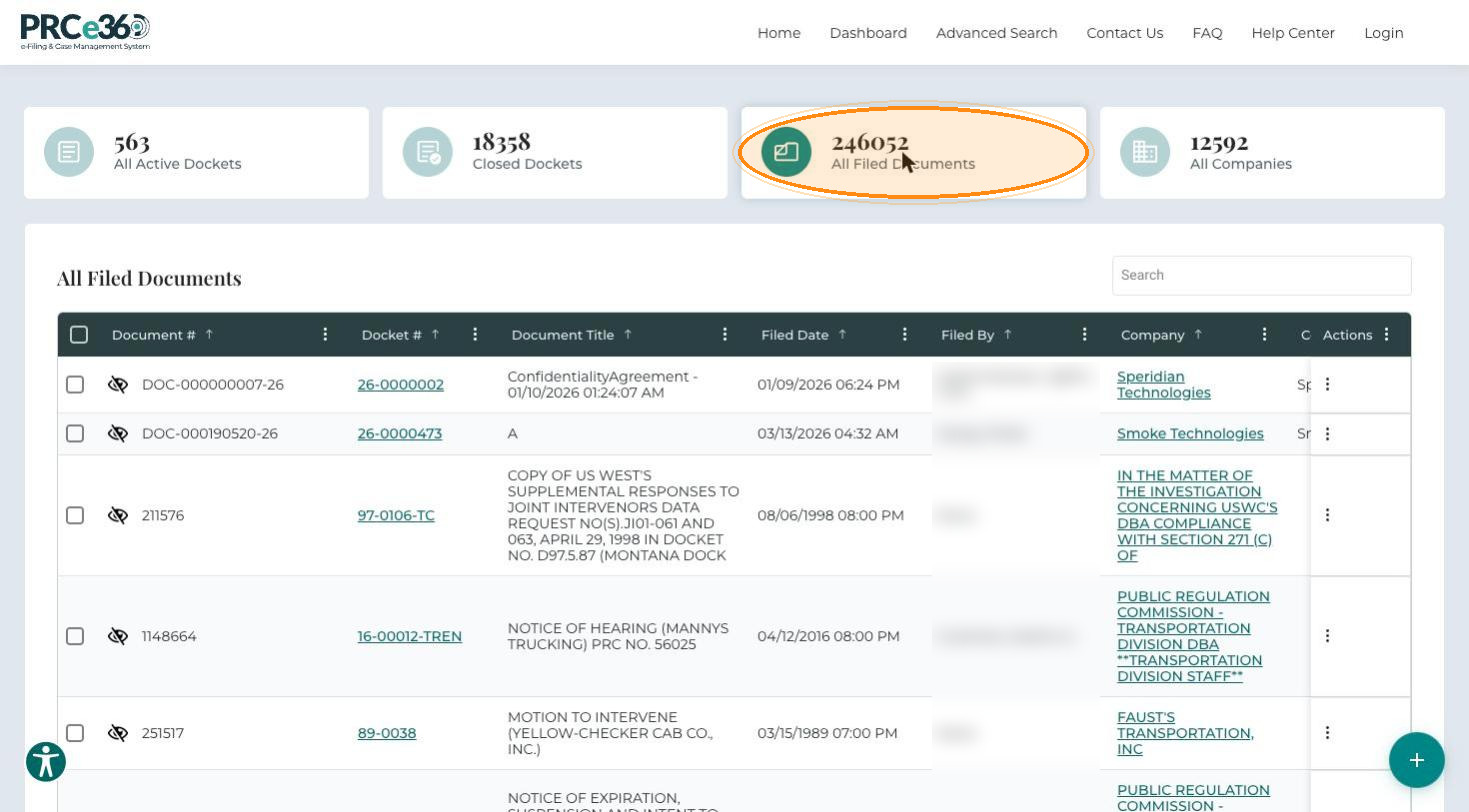
Lists all filed documents. Click the Docket # to open the docket the document was filed into.
- Document #
- Docket #
- Document Title
- Filed Date
- Filed By
- Company
- Company/Party(ies)
- Document Type
- Document Description
- Confidential
- Linked
- Document Role
- Actions
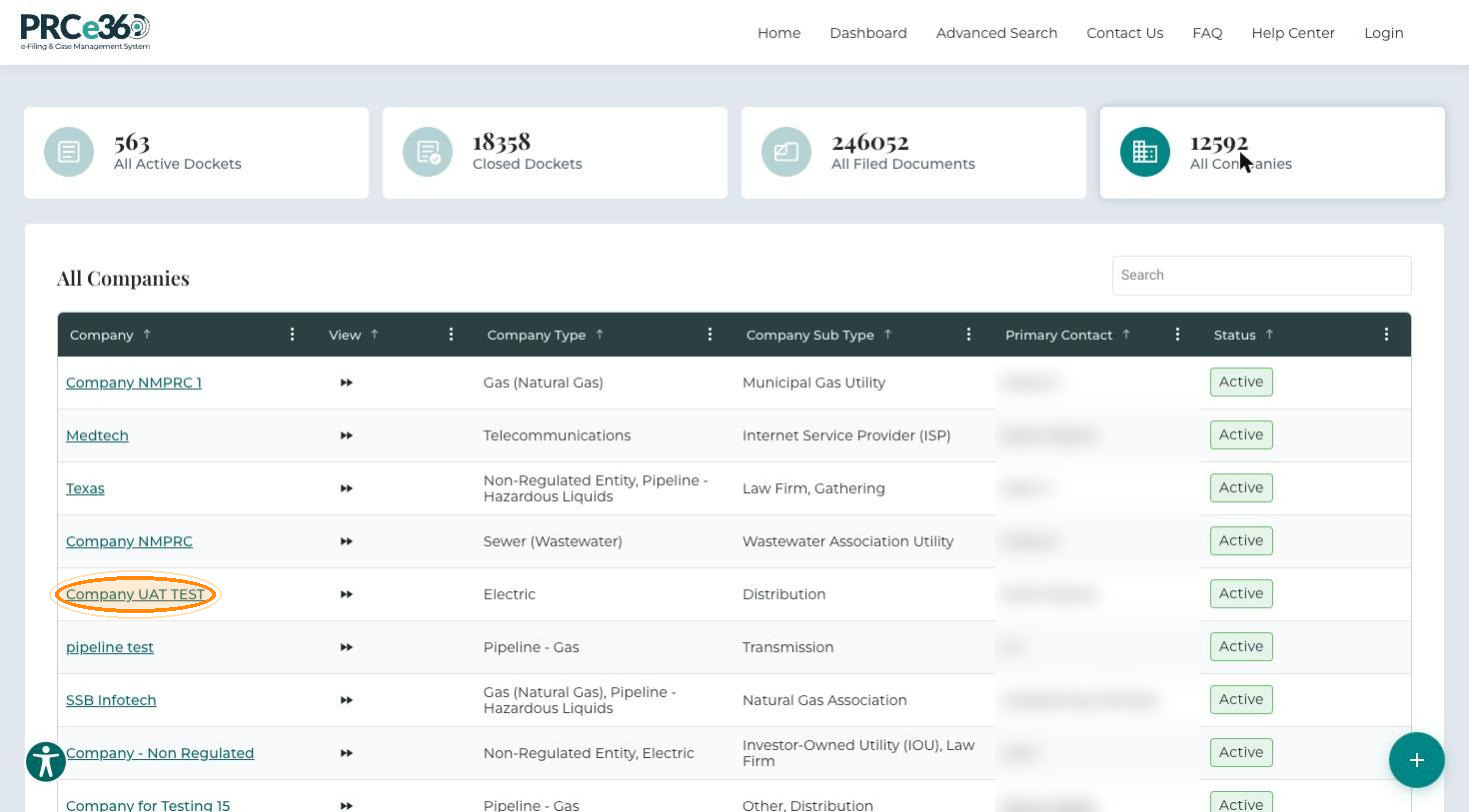
All Companies
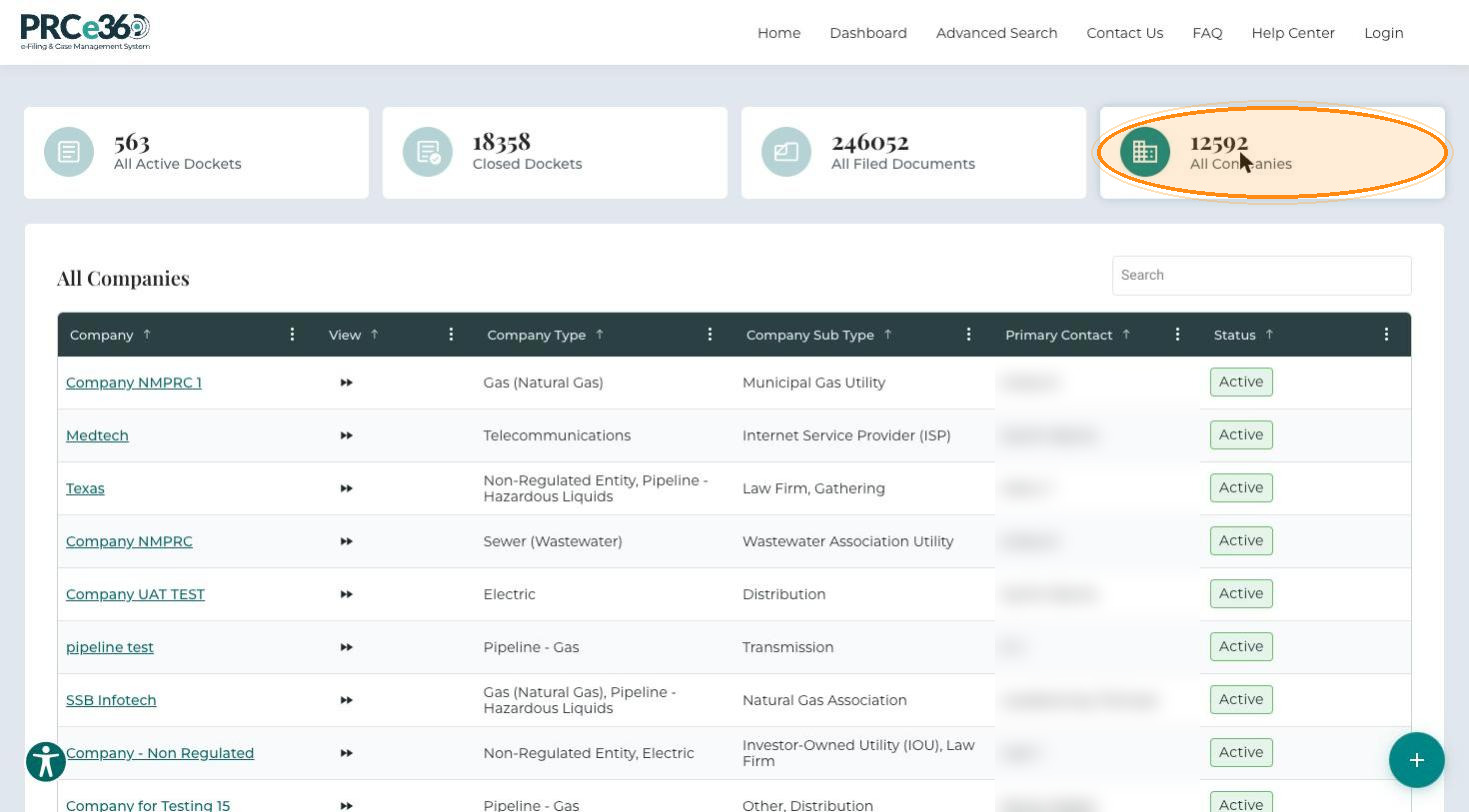
Lists all companies.
- Company
- View
- Company Type
- Company Sub Type
- Primary Contact
- Status
To open a company's 360 view:
-
Click the company name.
-
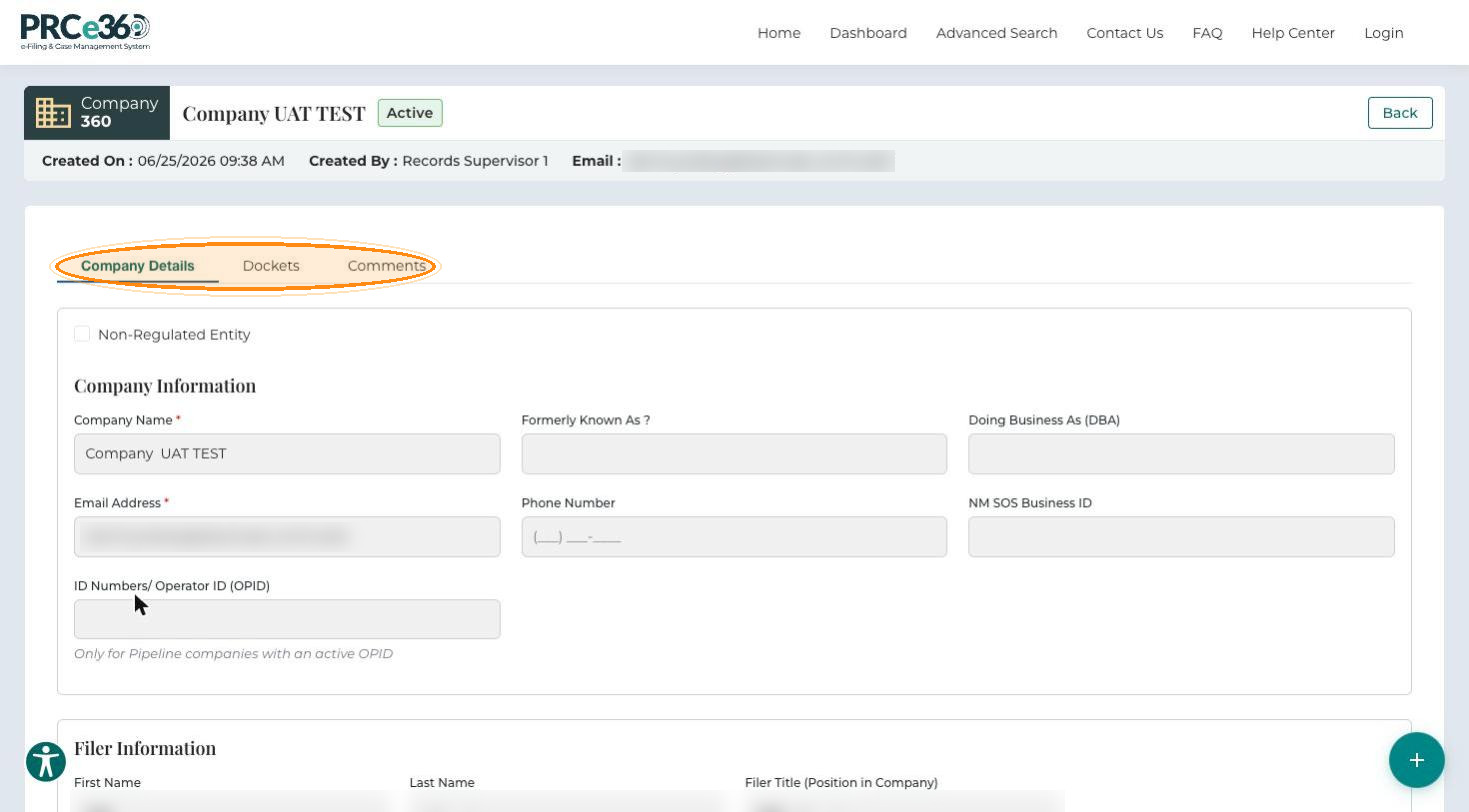
The Company 360 view opens with the Company Details, Dockets and Comments tabs. The top panel shows Created On, Created By and Email.
Advanced Search
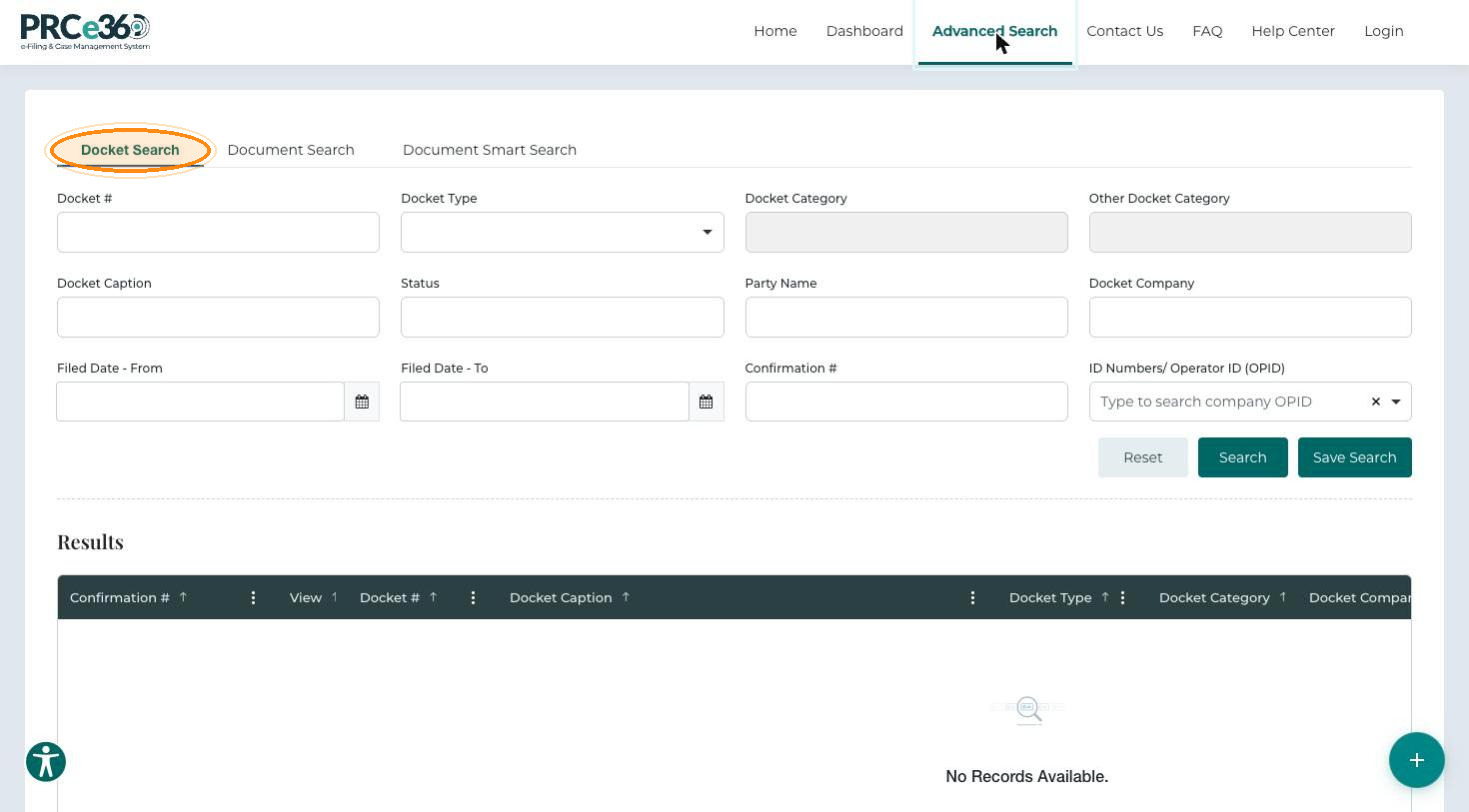
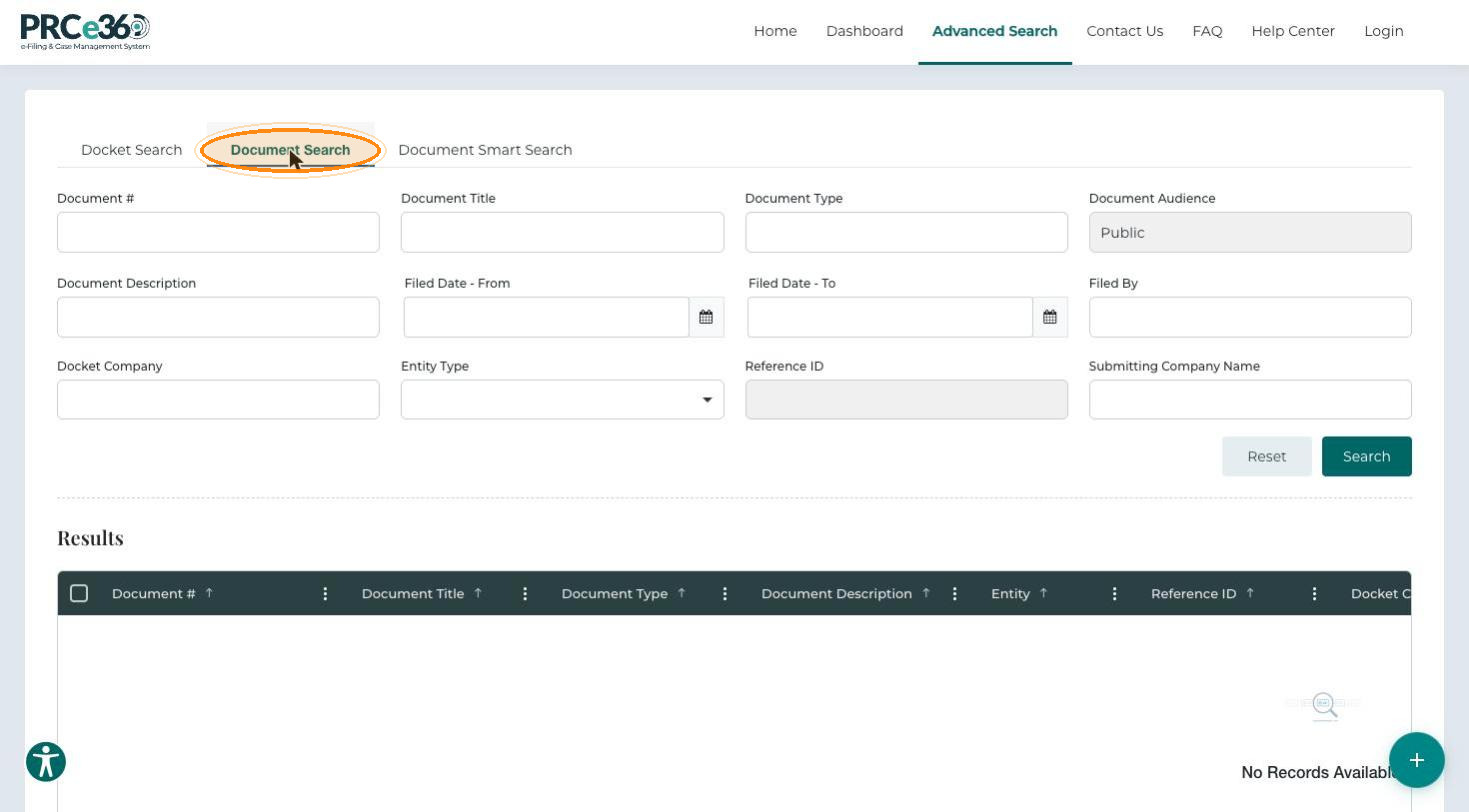
Click Advanced Search in the navigation bar. It has three tabs:
-
Docket Search – enter a Docket #, or filter by Docket Type and the other fields, then click Search.
-
Document Search – search and filter by Document #, Document Title, Document Type and more.
-
Document Smart Search – describe the documents you want in Enter your prompt here.
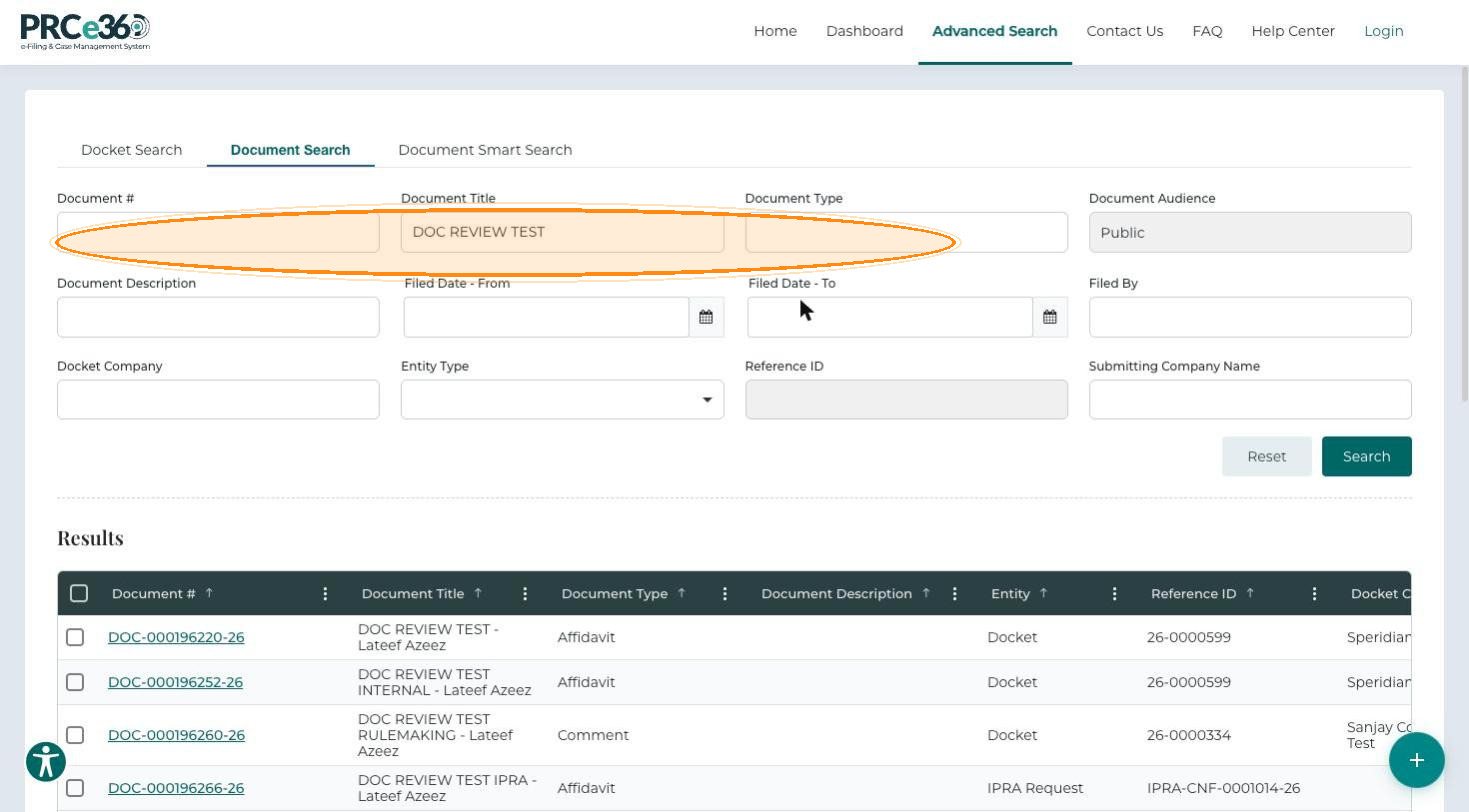
See Advanced Search for all search fields and features.
Submit New
-
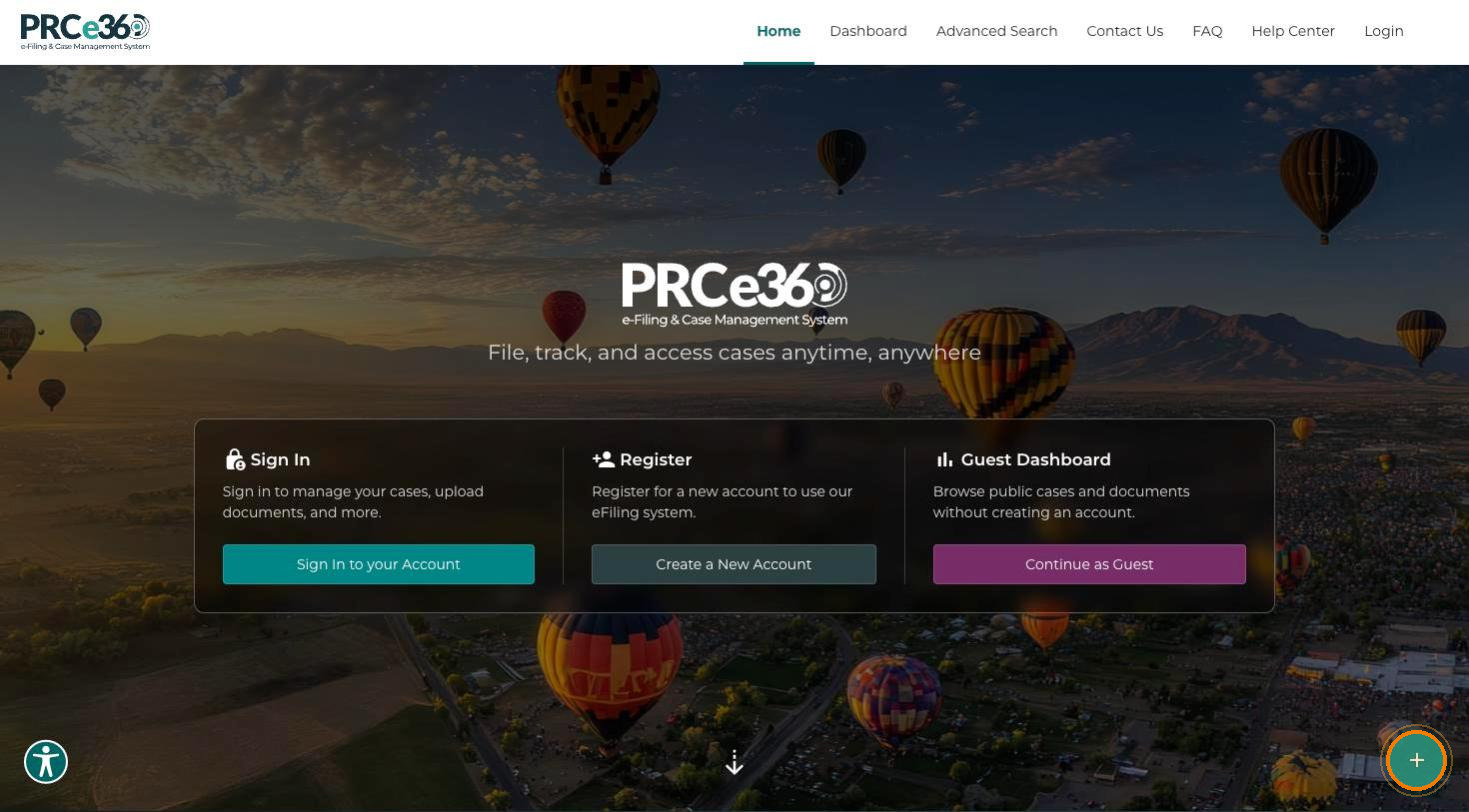
Click Submit New (the + button at the bottom-right corner of the page).
-
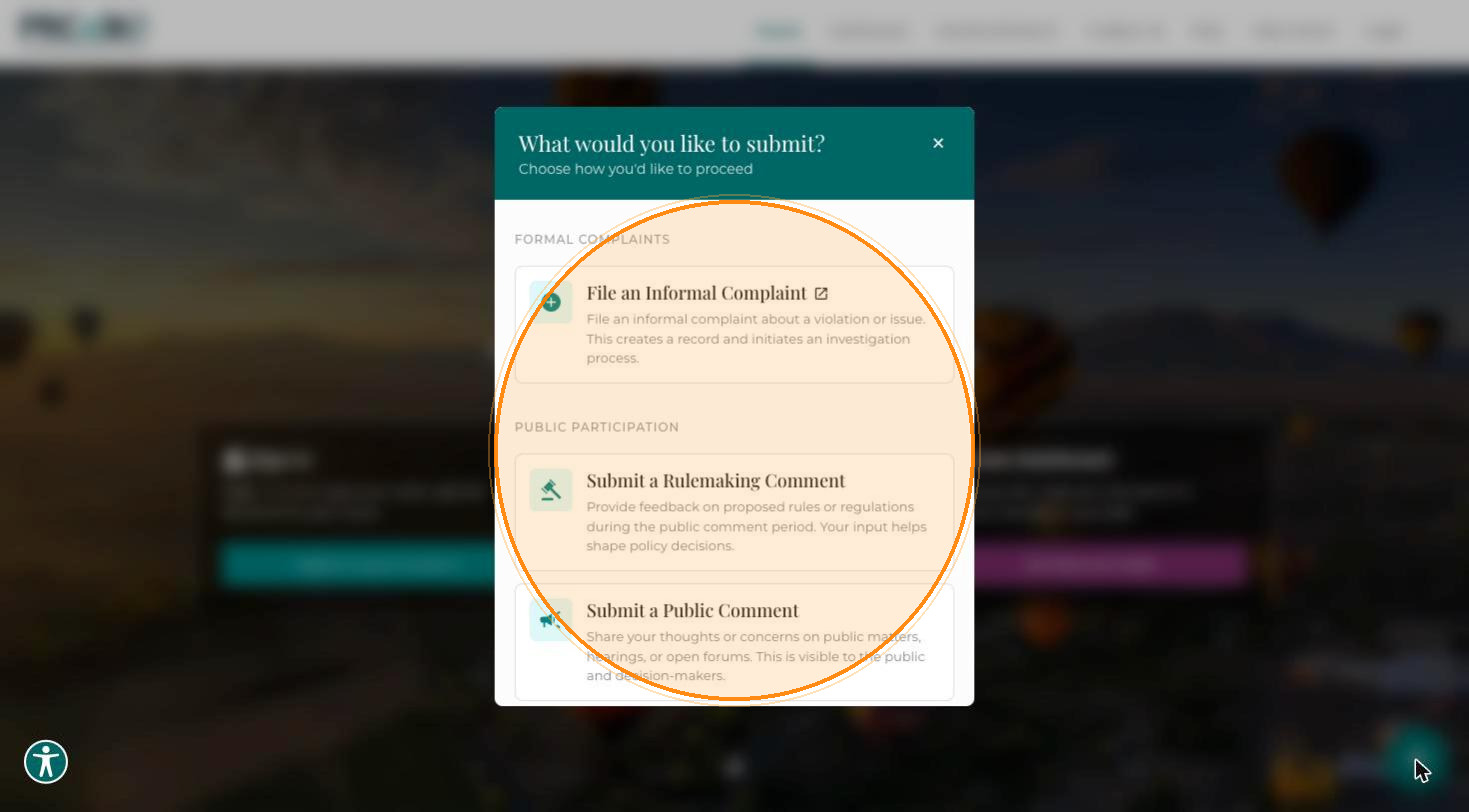
In the What would you like to submit? dialog, choose an option:
- File an Informal Complaint – takes you to the NMPRC website to file a complaint.
- Submit a Rulemaking Comment – see Submit a Rulemaking Comment.
- Submit a Public Comment – see Public Comment Overview.
Register
-
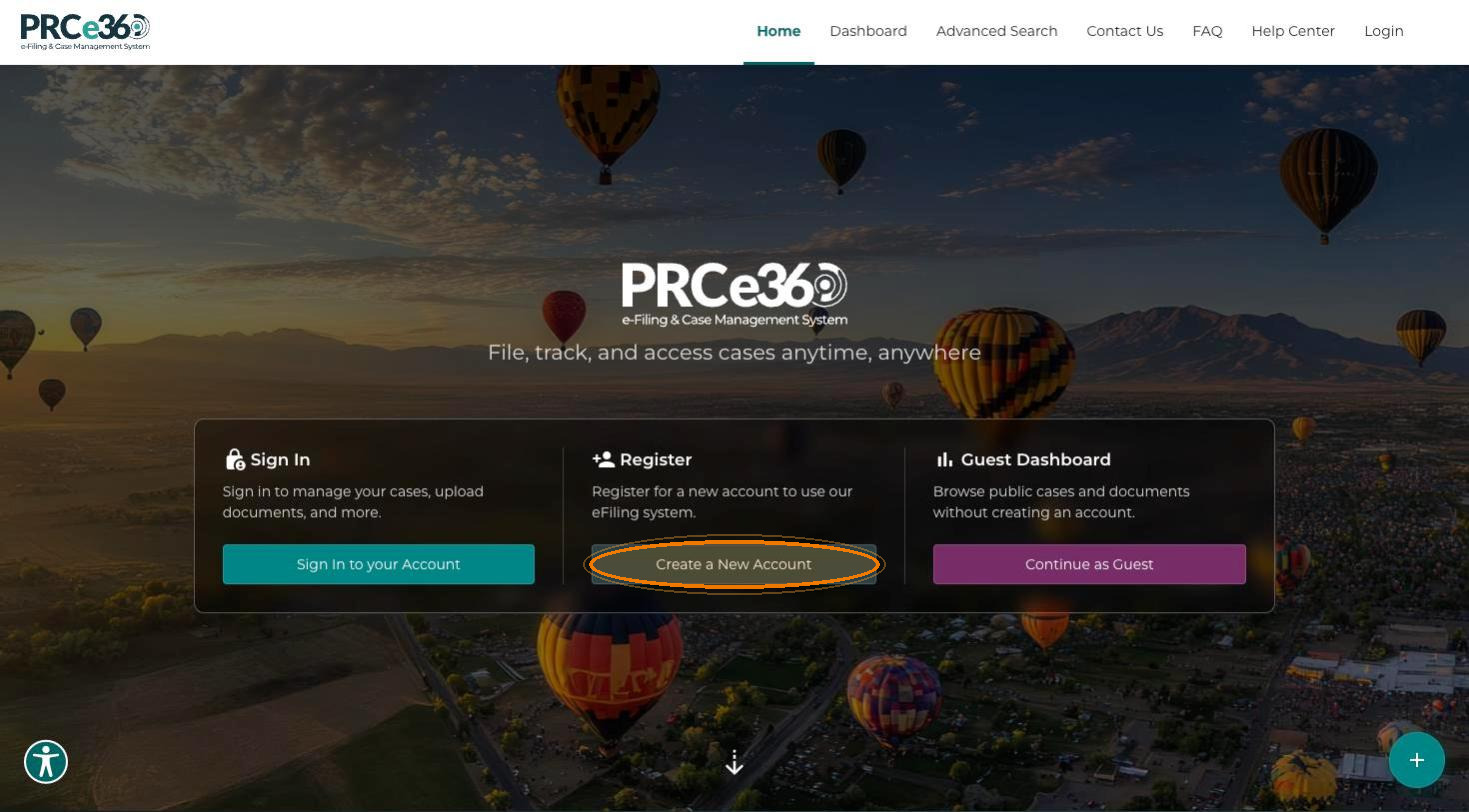
On the homepage, click Create a New Account on the Register card.
-
The User Registration page opens.
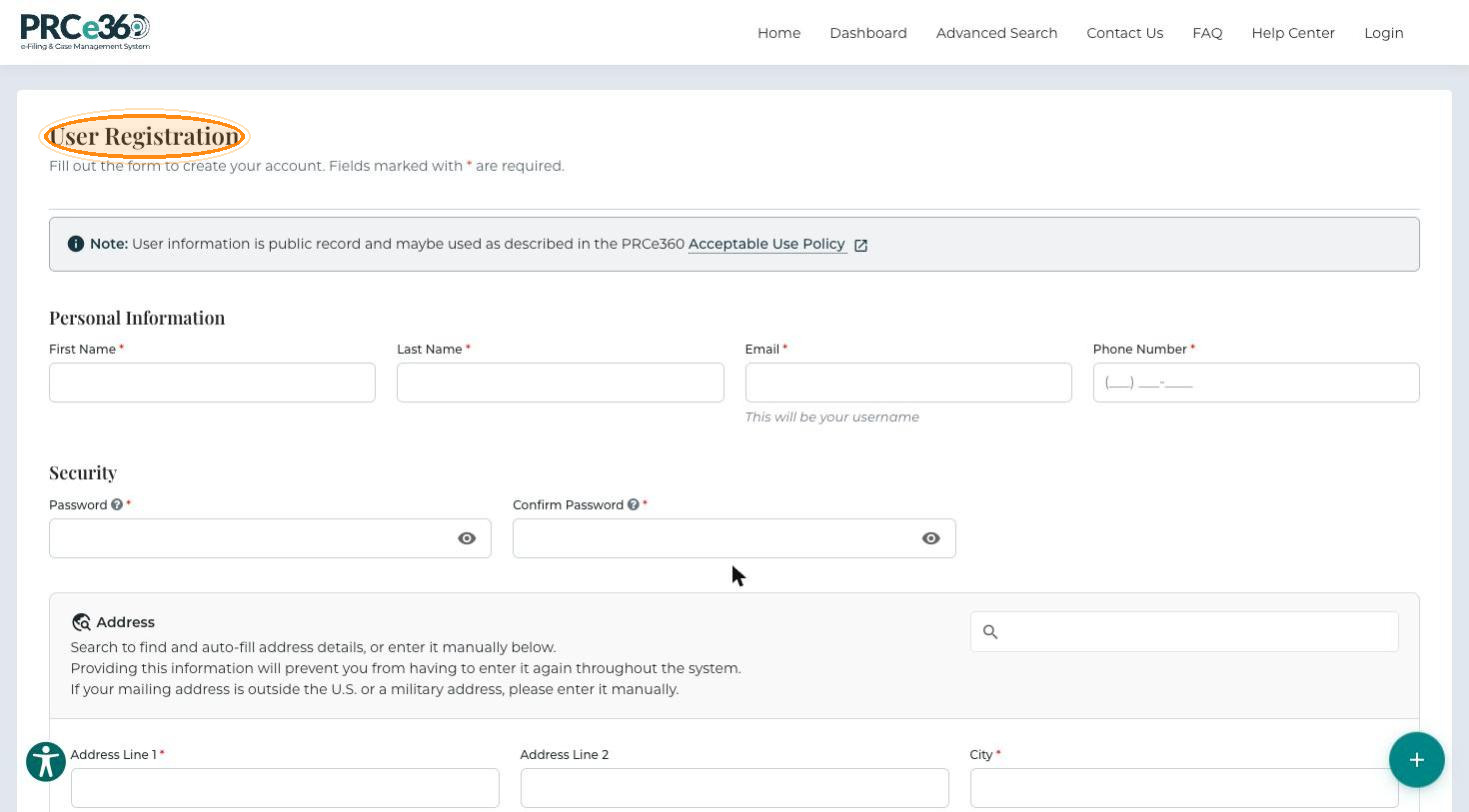
See New User Registration for the full steps.
Sign In
-
Click Login in the navigation bar, or Sign In to your Account on the homepage.
-
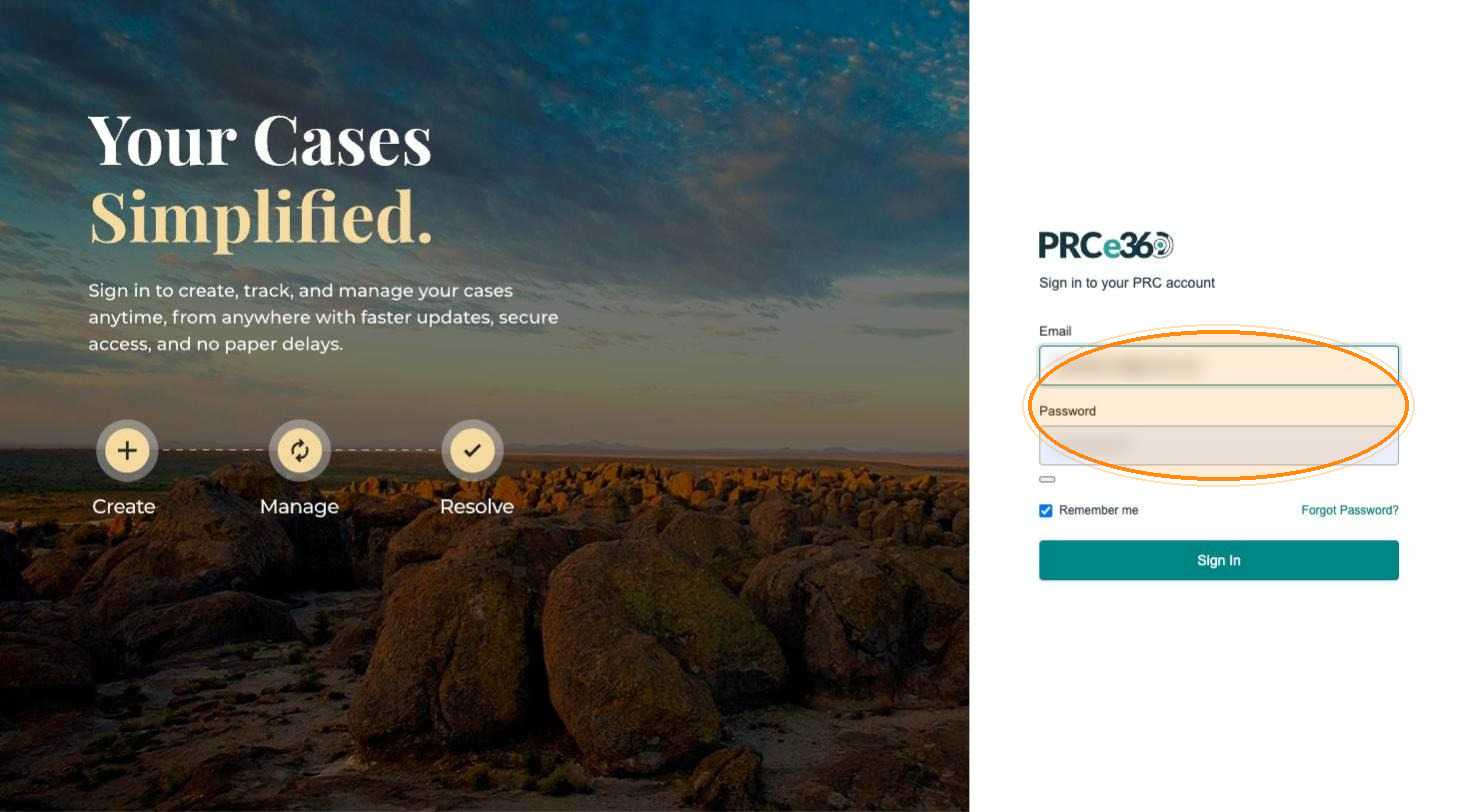
Enter your Email and Password, then click Sign In.
See Dashboard Overview for what you can do after signing in.
Contact Us
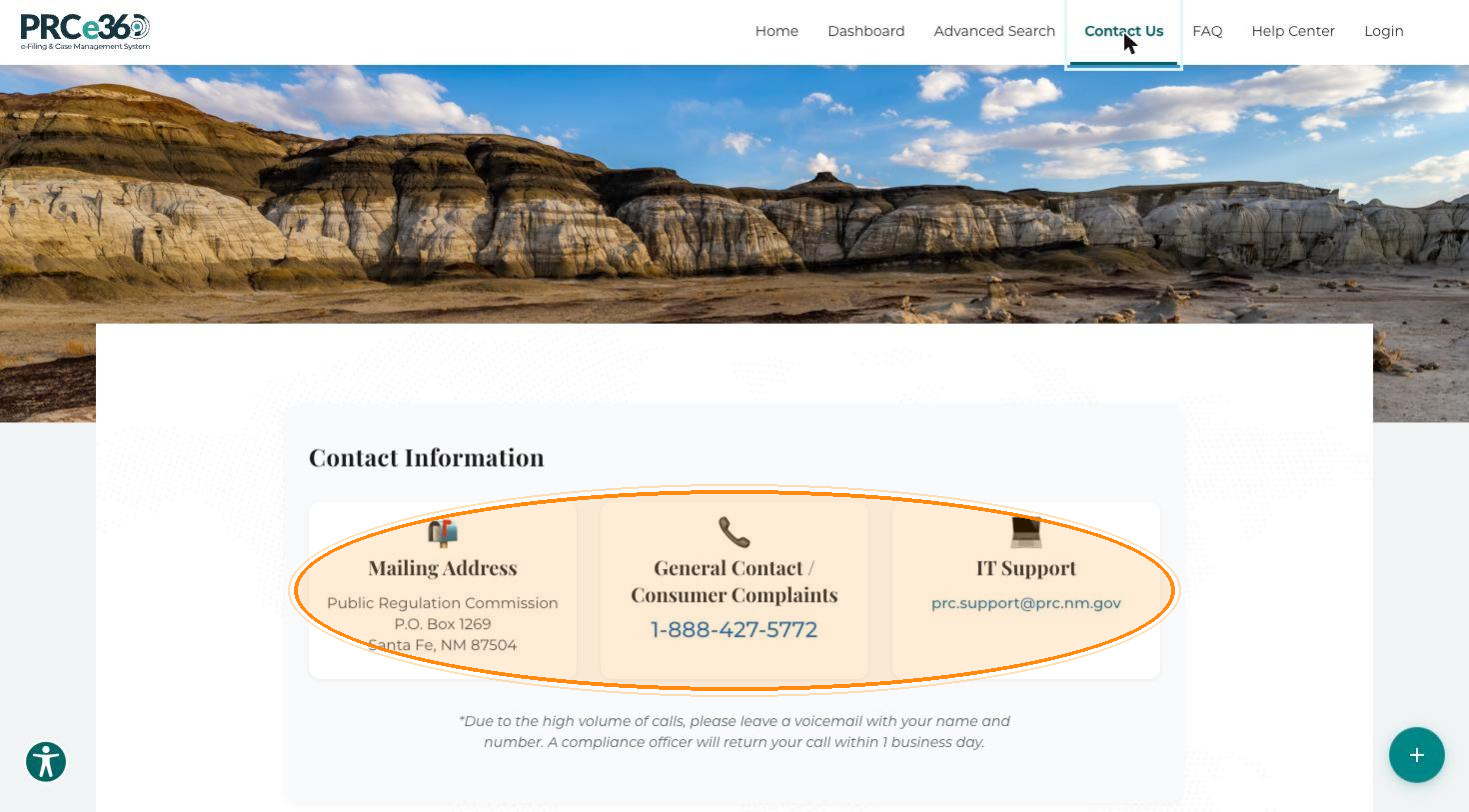
Click Contact Us in the navigation bar to see the contact information: the mailing address (P.O. Box 1269, Santa Fe, NM 87504), the general contact and consumer complaints phone number (1-888-427-5772), and the IT support email address (prc.support@prc.nm.gov). Because of high call volumes, leave a voicemail with your name and number; a compliance officer returns calls within one business day.
FAQ
-
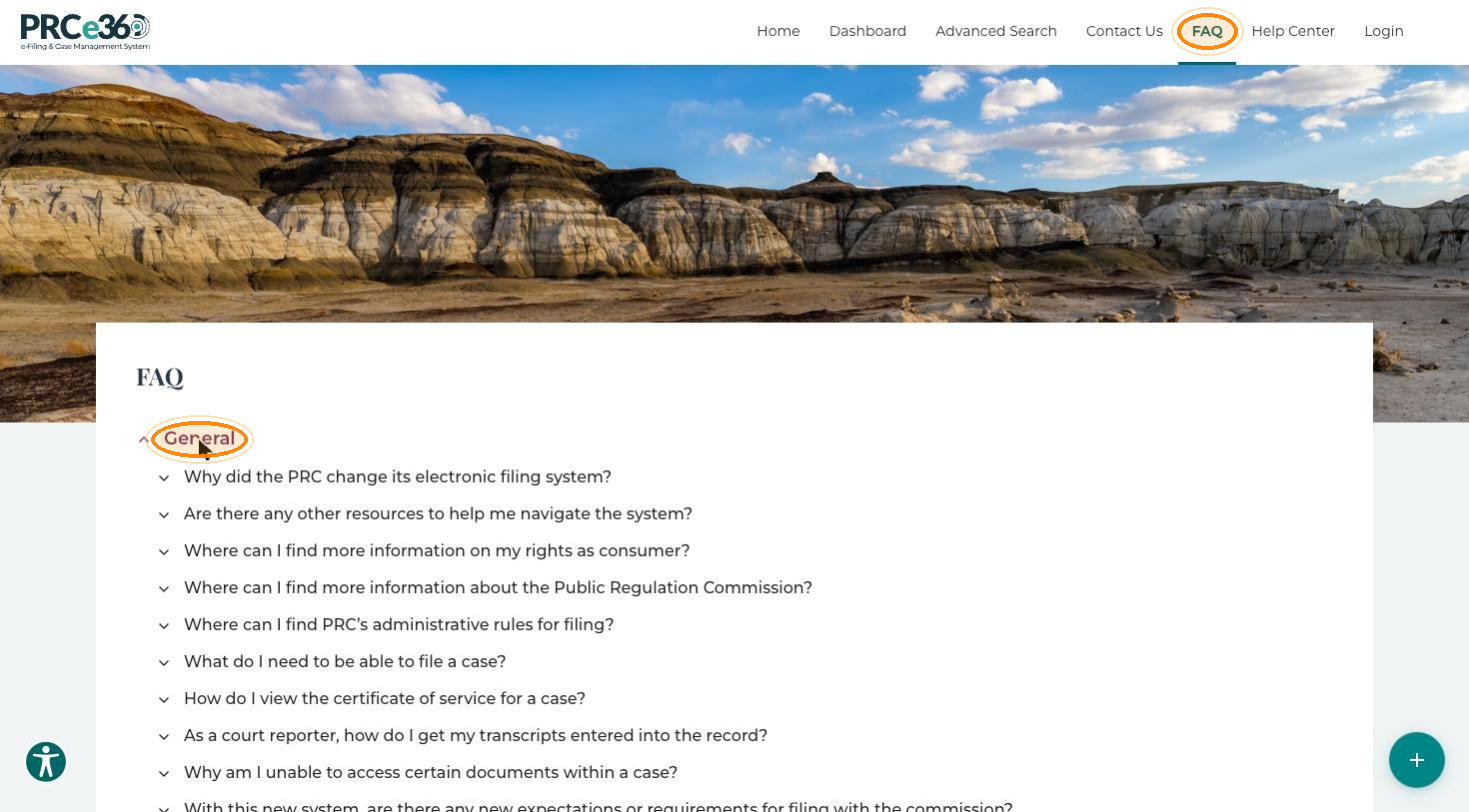
Click FAQ in the navigation bar. The FAQ page lists questions grouped by topic: General, Account, Company, IPRA, Records (Dockets, Cases, and Documents), Complaints and Comments.
-
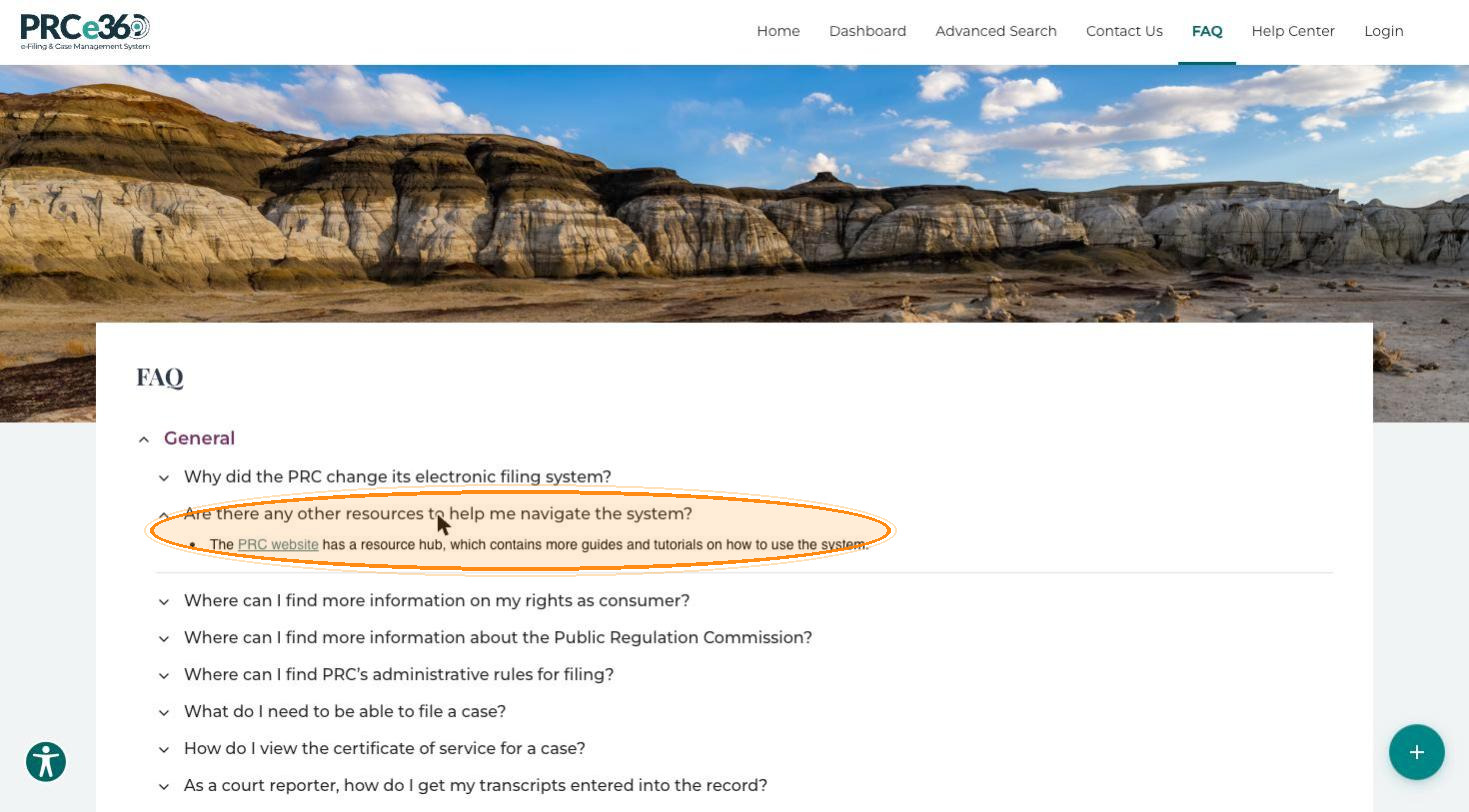
Click a topic to show its questions, then click a question to show the answer. Some answers link to more information on the NMPRC website.
For questions about using the Public Portal itself, see the FAQ in this guide.